

No give up
Femtopat
- Katılım
- 15 Şubat 2022
- Mesajlar
- 7
Daha fazla
- Cinsiyet
- Diğer
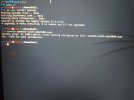
Bu hatayı alıyorum hep
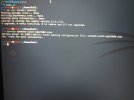
Bu hata veriyor
Kali Linux 2019.3'ü tek işletim sistemi olarak kullanıyorum ancak OpenVPN'i bir türlü çalıştıramıyorum (root kullanıcısıyım).
"OpenVPN VPNbook-PL226-UDP25000.ovpn" yazıyorum ancak aldığım hata şu;
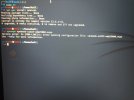
Kod:" 2020-12-23 20:37:47 warnıng: Compression for receiving enabled. Compression has been used in the past to break enCryption. Sent packets are not compressed unless "allow-compression yes" is also set. 2020-12-23 20:37:47 deprecated optıon: --Cipher set to 'AES-128-CBC' but missing in --data-ciphers (AES-256-GCM: AES-128-GCM). Future openvpn version will ignore --cipher for cipher negotiations. Add 'AES-128-CBC' to --data-ciphers or change --cipher 'AES-128-CBC' to --data-ciphers-fallback 'AES-128-CBC' to silence this warning. 2020-12-23 20:37:47 openvpn 2.5.0 X86_64-PC-Linux-GNU [SSL (OpenSSL)] [LZO] [LZ4] [EPOLL] [PKCS11] [MH/PKTINFO] [AEAD] built on oct 28 2020. 2020-12-23 20:37:47 library versions: Openssl 1.1.1h 22 sep 2020, lzo 2.10. Enter auth username: Vpnbook. Enter auth password: ******* 2020-12-23 20:37:58 warnıng: No server certificate verification method has been enabled. See [URL='http://openvpn.net/howto.html#mitm']How To Guide: Set Up & Configure OpenVPN client/server VPN | OpenVPN[/URL] for more info. 2020-12-23 20:37:58 TCP/UDP: preserving recently used remote address: [AF_INET]51.68. 152.226:25000. 2020-12-23 20:37:58 socket buffers: R=[212992->212992] s=[212992->212992] 2020-12-23 20:37:58 UDP link local: (Not bound) 2020-12-23 20:37:58 UDP link remote: [AF_INET]51.68. 152.226:25000. 2020-12-23 20:37:58 tls: Initial packet from [AF_INET]51.68. 152.226:25000, sid=AB4F25EC BF020EEB. 2020-12-23 20:37:58 warnıng: This Configuration may cache passwords in Memory -- use the auth-nocache option to prevent this. 2020-12-23 20:37:58 verıfy ok: Depth=0, C=ch, st=zurich, l=zurich, O=vpnbook.com, ou=ıt, CN=vpnbook.com, name=vpnbook.com, emailaddress=x 2020-12-23 20:38:00 Control Channel: Tlsv1.2, cipher tlsv1.2 ecdhe-RSA-AES256-GCM-SHA384, 1024 Bit rsa. 2020-12-23 20:38:00 [vpnbook.com] peer connection ınitiated with [AF_INET]51.68. 152.226:25000. 2020-12-23 20:38:01 sent Control [vpnbook.com]: 'Push_request' (status=1) 2020-12-23 20:38:03 auth: Received Control message: AUTH_FAILED. 2020-12-23 20:38:03 sıgterm[soft,auth-failure] received, process exiting"
Umarım birisi yardım eder.
Bu hata veriyorSitede görünen id-pass bunlar.
- Username: vpnbook
- Password: z9KY2tN
Bunlarla deniyorsun, doğru mu? Attığın kodda ID "Vpnbook." verilmiş. Ayrıca sudo olarak mı deniyorsun, normal modda mı?
Bu hata veriyor
Yardımcu olabilirmisinizAUTH_FAILED hatasi almissin. Kullanici adi - sifre dogru mu?
Dosya Ekleri

Son düzenleme:


