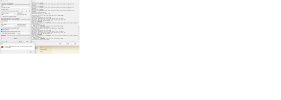
Rufus x64 v4.5.2180 (AppStore version)
Windows version: Windows 11 Pro x64 (Build 22631.3880)
Syslinux versions: 4.07/2013-07-25, 6.04/pre1
Grub versions: 0.4.6a, 2.12
System locale ID: 0x041F (tr-TR)
Will use default UI locale 0x041F
SetLGP: Successfully set NoDriveTypeAutorun policy to 0x0000009E
Localization set to 'tr-TR'
Found 517 officially revoked UEFI bootloaders from embedded list
Found 2351 additional revoked UEFI bootloaders from this system's SKUSiPolicy.p7b
Notice: Windows VDS is unavailable
Found USB 2.0 device 'USB Flash Disk USB Device' (090C:1000)
1 device found
No volume information for drive 0x85
Disk type: Removable, Disk size: 4GB, Sector size: 512 bytes
Cylinders: 489, Tracks per cylinder: 255, Sectors per track: 63
Partition type: MBR, NB Partitions: 0
Disk ID: 0x00000000
read_sectors: Read error [0x00000015] (NB: This system was unable to provide an English error message)
Read: 0, Expected: 512
StartSector: 0x00000000, nSectors: 0x1, SectorSize: 0x200
Drive does not have a Boot Marker
Scanning image...
ISO analysis:
Image is a UDF image
Disk image analysis:
Image does not have a Boot Marker
ISO label: 'GSP1RMCHBFRER_TR_DVD'
Detected: Windows 7 ISO (Build 7601.17514)
Size: 2.3 GB (Projected)
Uses: Bootmgr (BIOS only)
Uses: Install.wim (version 0.13.1)
Using image: tr_windows_7_home_basic_with_sp1_x86_dvd_u_676488.iso (2.3 GB)
Timeout while retrieving conflicting process list
Format operation started
Requesting disk access...
Will use 'H:' as volume mountpoint
Warning: Could not delete partition(s): VDS is not available
read_sectors: Read error [0x00000015] (NB: This system was unable to provide an English error message)
Read: 0, Expected: 512
StartSector: 0x00000000, nSectors: 0x1, SectorSize: 0x200
Opened \\.\PhysicalDrive5 for shared write access
Requesting logical volume handle...
Analyzing existing boot records...
read_sectors: Read error [0x00000015] (NB: This system was unable to provide an English error message)
Read: 0, Expected: 512
StartSector: 0x00000000, nSectors: 0x1, SectorSize: 0x200
Drive does not have a Boot Marker
Clearing MBR/PBR/GPT structures...
Erasing 128 sectors
Write error [0x00000079] (NB: This system was unable to provide an English error message)
Retrying in 5 seconds...
Write error [0x00000079] (NB: This system was unable to provide an English error message)
Retrying in 5 seconds...
Write error [0x00000079] (NB: This system was unable to provide an English error message)
Retrying in 5 seconds...
Write error [0x00000079] (NB: This system was unable to provide an English error message)
Could not reset partitions
Re-mounted volume as H: after error
Found USB 2.0 device 'USB Flash Disk USB Device' (090C:1000)
1 device found
No volume information for drive 0x85
Disk type: Removable, Disk size: 4GB, Sector size: 512 bytes
Cylinders: 489, Tracks per cylinder: 255, Sectors per track: 63
Partition type: MBR, NB Partitions: 0
Disk ID: 0x00000000
read_sectors: Read error [0x00000015] (NB: This system was unable to provide an English error message)
Read: 0, Expected: 512
StartSector: 0x00000000, nSectors: 0x1, SectorSize: 0x200
Drive does not have a Boot Marker
Found USB 2.0 device 'USB Flash Disk USB Device' (090C:1000)
1 device found
No volume information for drive 0x85
Disk type: Removable, Disk size: 4GB, Sector size: 512 bytes
Cylinders: 489, Tracks per cylinder: 255, Sectors per track: 63
Partition type: MBR, NB Partitions: 0
Disk ID: 0x00000000
read_sectors: Read error [0x00000015] (NB: This system was unable to provide an English error message)
Read: 0, Expected: 512
StartSector: 0x00000000, nSectors: 0x1, SectorSize: 0x200
Drive does not have a Boot Marker