Ben: Hello, when I search for an item in the Market section of Steam, it gives me an error and no results. Sometimes I have to F5 10 times for the search to give me results. I wonder what is causing this problem, I've had this problem for years.
Steam Destek:
Hello,
Does this issue occur in both the Steam client and the web version of Steam using a browser such as Chrome or Edge? When did you first notice this issue, is the issue associated with a recent update?
Are you able to test the issue on a different machine, or the same machine using a different network?
Steam Support
Anthony
Ben:
Yes, this problem is present both in Steam client and in all browsers. I don't remember when I first discovered this problem, but as I said, it has been there for years. I don't think this problem is related to any Windows update or any other application update. This problem persists even on other computers and mobile devices. I haven't had a chance to try it from another ISP, but when I asked my friends in Turkey, they said they had the same problem with other ISPs. Could this problem be caused by Steam itself? Or is there a problem with the internet service providers in Turkey?
Steam Destek:
Hello,
Please locate and attach the connection log on your system so I can investigate the issue further. The default location for this log is:
C:\Program Files (x86)\Steam\logs\connection_log.txt
Steam Support
Anthony
Ben:
Here it is. Thank you very much for your efforts to help.
Eklenen dosyalar:
connection_log.txt
Steam Destek:
Hey there,
Looking into your connection log files shows that you are encountering a number of Timeout errors while your Steam client is attempting to connect using an ipv6 connection. Unfortunately Steam is not very well optimized to use these connections at this time, which is likely why you have been experiencing these connectivity issues.
I'm sorry that we don't fully support this connection type, we understand that this issue is not always something our users can control and we apologize for the inconvenience and frustration that this has caused.
It is possible that some other factors are affecting this issue, so we recommend you perform the following troubleshooting outlined in our
Troubleshooting Network Connectivity article.
The following steps are also a good starting point to ensure your machine and network are operating smoothly otherwise.
- Refresh Local Network Hardware
- Test Online Connection
- Investigate Firewalls
- Investigate Anti-Virus Software
- Investigate Other Programs & Services
If you have any further questions, please let us know - we will be happy to assist you.
Steam Support
Anthony
Konuşma bu şekilde.


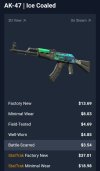

 Nightwish ise şimdilik sadece Eskimiş alabiliyorum ki onun Float'ı da böyle. Ne dersiniz? Biraz daha bekleyip en azından FT mi alayım?


