KERNEL_APC_PENDING_DURING_EXIT (20)
The key data item is the thread's APC disable count.
If this is non-zero, then this is the source of the problem.
The APC disable count is decremented each time a driver calls
KeEnterCriticalRegion, FsRtlEnterFileSystem, or acquires a mutex.  The APC
disable count is incremented each time a driver calls KeLeaveCriticalRegion,
FsRtlExitFileSystem, or KeReleaseMutex.  Since these calls should always be in
pairs, this value should be zero when a thread exits.  A negative value
indicates that a driver has disabled APC calls without re-enabling them.  A
positive value indicates that the reverse is true.
If you ever see this error, be very suspicious of all drivers installed on the
machine -- especially unusual or non-standard drivers.  Third party file
system redirectors are especially suspicious since they do not generally
receive the heavy duty testing that NTFS, FAT, RDR, etc receive.
This current IRQL should also be 0.  If it is not, that a driver's
cancelation routine can cause this bugcheck by returning at an elevated
IRQL.  Always attempt to note what you were doing/closing at the
time of the crash, and note all of the installed drivers at the time of
the crash.  This symptom is usually a severe bug in a third party
driver.
Arguments:
Arg1: 0000000000000000, The address of the APC found pending during exit.
Arg2: 00000000ffff0000, The thread's APC disable count
Arg3: 0000000000000002, The current IRQL
Arg4: 0000000000000000

Debugging Details:
------------------


KEY_VALUES_STRING: 1


PROCESSES_ANALYSIS: 1

SERVICE_ANALYSIS: 1

STACKHASH_ANALYSIS: 1

TIMELINE_ANALYSIS: 1


DUMP_CLASS: 1

DUMP_QUALIFIER: 400

BUILD_VERSION_STRING:  18362.1.amd64fre.19h1_release.190318-1202

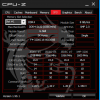
SYSTEM_MANUFACTURER:  Micro-Star International Co., Ltd.

SYSTEM_PRODUCT_NAME:  MS-7B77

SYSTEM_SKU:  To be filled by O.E.M.

SYSTEM_VERSION:  1.0

BIOS_VENDOR:  American Megatrends Inc.

BIOS_VERSION:  1.D0

BIOS_DATE:  11/08/2019

BASEBOARD_MANUFACTURER:  Micro-Star International Co., Ltd.

BASEBOARD_PRODUCT:  X470 GAMING M7 AC (MS-7B77)

BASEBOARD_VERSION:  1.0

DUMP_TYPE:  2

BUGCHECK_P1: 0

BUGCHECK_P2: ffff0000

BUGCHECK_P3: 2

BUGCHECK_P4: 0

BUGCHECK_STR:  0x20_NULLAPC_SAPC_NEGATIVE

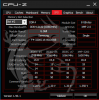
CPU_COUNT: 10

CPU_MHZ: e74

CPU_VENDOR:  AuthenticAMD

CPU_FAMILY: 17

CPU_MODEL: 8

CPU_STEPPING: 2

BLACKBOXBSD: 1 (!blackboxbsd)


BLACKBOXNTFS: 1 (!blackboxntfs)


BLACKBOXPNP: 1 (!blackboxpnp)


BLACKBOXWINLOGON: 1

CUSTOMER_CRASH_COUNT:  1

DEFAULT_BUCKET_ID:  WIN8_DRIVER_FAULT

PROCESS_NAME:  node.exe

CURRENT_IRQL:  2

ANALYSIS_SESSION_HOST:  DESKTOP-18V31A3

ANALYSIS_SESSION_TIME:  01-15-2020 21:56:08.0701

ANALYSIS_VERSION: 10.0.18362.1 x86fre

LAST_CONTROL_TRANSFER:  from fffff805823cafd4 to fffff80581dc14e0

STACK_TEXT:
ffffc10a`16aed918 fffff805`823cafd4 : 00000000`00000020 00000000`00000000 00000000`ffff0000 00000000`00000002 : nt!KeBugCheckEx
ffffc10a`16aed920 fffff805`8225e54f : ffffd707`23cb5688 00000000`00000000 00000000`01bef000 00000000`00000000 : nt!KeRundownApcQueues+0x16c778
ffffc10a`16aed960 fffff805`82252113 : 00000000`00000000 00000000`00000000 00000000`01bef000 ffffd707`259a7e60 : nt!PspExitThread+0x487
ffffc10a`16aeda70 fffff805`8225209a : 00000000`00000000 00000000`00000000 ffffd707`23cb5080 00000000`01bef000 : nt!PspTerminateThreadByPointer+0x53
ffffc10a`16aedab0 fffff805`81dd2d18 : 00000000`00000000 ffffd707`23cb5080 ffffc10a`16aedb80 ffffd707`259a7e60 : nt!NtTerminateThread+0x4a
ffffc10a`16aedb00 00000000`77001cbc : 00000000`00000000 00000000`00000000 00000000`00000000 00000000`00000000 : nt!KiSystemServiceCopyEnd+0x28
00000000`01c3f298 00000000`00000000 : 00000000`00000000 00000000`00000000 00000000`00000000 00000000`00000000 : 0x77001cbc


THREAD_SHA1_HASH_MOD_FUNC:  ba582d62364b9bb7c2b0d39f42c792f3318d1a2e

THREAD_SHA1_HASH_MOD_FUNC_OFFSET:  5f374101819caef6b1171d8dee89bc0f406bd11b

THREAD_SHA1_HASH_MOD:  ee8fcf1fb60cb6e3e2f60ddbed2ec02b5748a693

FOLLOWUP_IP:
nt!KeRundownApcQueues+16c778
fffff805`823cafd4 cc              int     3

FAULT_INSTR_CODE:  8b48cccc

SYMBOL_STACK_INDEX:  1

SYMBOL_NAME:  nt!KeRundownApcQueues+16c778

FOLLOWUP_NAME:  MachineOwner

MODULE_NAME: nt

IMAGE_NAME:  ntkrnlmp.exe

DEBUG_FLR_IMAGE_TIMESTAMP:  4f6eba0

IMAGE_VERSION:  10.0.18362.592

STACK_COMMAND:  .thread ; .cxr ; kb

BUCKET_ID_FUNC_OFFSET:  16c778

FAILURE_BUCKET_ID:  0x20_NULLAPC_SAPC_NEGATIVE_nt!KeRundownApcQueues

BUCKET_ID:  0x20_NULLAPC_SAPC_NEGATIVE_nt!KeRundownApcQueues

PRIMARY_PROBLEM_CLASS:  0x20_NULLAPC_SAPC_NEGATIVE_nt!KeRundownApcQueues

TARGET_TIME:  2020-01-15T18:02:48.000Z

OSBUILD:  18362

OSSERVICEPACK:  592

SERVICEPACK_NUMBER: 0

OS_REVISION: 0

SUITE_MASK:  272

PRODUCT_TYPE:  1

OSPLATFORM_TYPE:  x64

OSNAME:  Windows 10

OSEDITION:  Windows 10 WinNt TerminalServer SingleUserTS

OS_LOCALE:

USER_LCID:  0

OSBUILD_TIMESTAMP:  1972-08-22 03:24:00

BUILDDATESTAMP_STR:  190318-1202

BUILDLAB_STR:  19h1_release

BUILDOSVER_STR:  10.0.18362.1.amd64fre.19h1_release.190318-1202

ANALYSIS_SESSION_ELAPSED_TIME:  406f

ANALYSIS_SOURCE:  KM

FAILURE_ID_HASH_STRING:  km:0x20_nullapc_sapc_negative_nt!kerundownapcqueues

FAILURE_ID_HASH:  {c81e91b7-515b-84c3-729e-05a7dac4c9a0}

Followup:     MachineOwner
---------