Çözüldü "BAD_POOL_CALLER" hatası

Bu konu çözüldü olarak işaretlenmiştir. Çözülmediğini düşünüyorsanız konuyu rapor edebilirsiniz.

REPLIS

Decapat
Katılım
17 Şubat 2023
Mesajlar
18
Daha fazla  
Cinsiyet
Erkek
Direkt konuya gireyim, genelde video izlerken bir anda hata kodu bad poll caller olan bir mavi ekran alıyordum. Blue screen wiewden baktığımda ntoskrnl.exe diye bir hata vardı. Nasıl bu hatayı çözebilirim?

1746798445000.png


Ve sonra SSD'nin hata denetimi kısmından taradım ve bir hata buldu ayrıntıları göstere tıkladığımda beni bu ekrana atıyor ne olduğunu anlamadım

1746798845978.png


ve cmd de yaptığım bi test daha var sonucu böyle çıktı
1746799407480.png


minidump dosyaları:

neden bir tane dosya var anlamış değilim
 
Son düzenleme:
Çözüm
Hocam şu hata ile karşılaştım.

Kod:
BAD_POOL_CALLER (c2)
The current thread is making a bad pool request.  Typically this is at a bad IRQL level or double freeing the same allocation, etc.
Arguments:
Arg1: 000000000000000d, Attempt to release quota on a corrupted pool allocation.
Arg2: ffffbe0866ff8d50, Address of pool
Arg3: 000000004c706657, Pool allocation's tag
Arg4: b9c67c25d854a574, Quota process pointer (bad).

Debugging Details:
------------------


KEY_VALUES_STRING: 1

    Key  : Analysis.CPU.mSec
    Value: 1500

    Key  : Analysis.Elapsed.mSec
    Value: 14851

    Key  : Analysis.IO.Other.Mb
    Value: 4

    Key  : Analysis.IO.Read.Mb
    Value: 1

    Key  : Analysis.IO.Write.Mb
    Value: 6

    Key  : Analysis.Init.CPU.mSec
    Value: 859

    Key  : Analysis.Init.Elapsed.mSec
    Value: 3944

    Key  : Analysis.Memory.CommitPeak.Mb
    Value: 110

    Key  : Analysis.Version.DbgEng
    Value: 10.0.27829.1001

    Key  : Analysis.Version.Description
    Value: 10.2503.24.01 amd64fre

    Key  : Analysis.Version.Ext
    Value: 1.2503.24.1

    Key  : Bugcheck.Code.LegacyAPI
    Value: 0xc2

    Key  : Bugcheck.Code.TargetModel
    Value: 0xc2

    Key  : Failure.Bucket
    Value: 0xc2_d_NETIO!WfpPoolFree

    Key  : Failure.Exception.IP.Address
    Value: 0xfffff8001523821a

    Key  : Failure.Exception.IP.Module
    Value: nt

    Key  : Failure.Exception.IP.Offset
    Value: 0x43821a

    Key  : Failure.Hash
    Value: {c159c15c-ed0a-e8e7-3b61-660d225f418a}

    Key  : WER.OS.Branch
    Value: vb_release

    Key  : WER.OS.Version
    Value: 10.0.19041.1


BUGCHECK_CODE:  c2

BUGCHECK_P1: d

BUGCHECK_P2: ffffbe0866ff8d50

BUGCHECK_P3: 4c706657

BUGCHECK_P4: b9c67c25d854a574

FILE_IN_CAB:  050925-22500-01.dmp

FAULTING_THREAD:  ffffbe08666a4040

BLACKBOXBSD: 1 (!blackboxbsd)


BLACKBOXNTFS: 1 (!blackboxntfs)


BLACKBOXPNP: 1 (!blackboxpnp)


BLACKBOXWINLOGON: 1

CUSTOMER_CRASH_COUNT:  1

PROCESS_NAME:  svchost.exe

STACK_TEXT: 
ffffce8e`c6f8e358 fffff800`1523821a     : 00000000`000000c2 00000000`0000000d ffffbe08`66ff8d50 00000000`4c706657 : nt!KeBugCheckEx
ffffce8e`c6f8e360 fffff800`157b70b9     : 00000000`00000000 00000000`00000072 ffffbe08`659179a0 01000000`00100000 : nt!ExFreeHeapPool+0x1e716a
ffffce8e`c6f8e440 fffff800`1b18feeb     : ffffbe08`666a4040 ffffbe08`51fed860 00000000`00000010 01000000`00100000 : nt!ExFreePool+0x9
ffffce8e`c6f8e470 fffff800`1b18f8c6     : ffffbe08`54010000 00000000`00000000 00000000`00000000 00000000`00000000 : NETIO!WfpPoolFree+0x1f
ffffce8e`c6f8e4a0 fffff800`1b18ed33     : 00000000`00000001 00000000`0000ff00 00000000`00000004 00000000`00000000 : NETIO!UpdateCacheLruBucket+0x856
ffffce8e`c6f8e580 fffff800`1b18edda     : 00000000`00000000 00000000`00000000 00000000`00000066 00000000`00000000 : NETIO!WfpFreeCacheEntries+0x2b
ffffce8e`c6f8e5b0 fffff800`1b1924cc     : 00000000`00000000 00000000`00000000 ffffffff`ffffffff 00000000`0000ff00 : NETIO!WfpActivateCaches+0x8a
ffffce8e`c6f8e600 fffff800`1b192abf     : ffffbe08`6686a150 00000000`00000032 ffffbe08`51fd0032 ffffbe08`6700ff00 : NETIO!KfdCommitTransaction+0x8ec
ffffce8e`c6f8e700 fffff800`1b2e7225     : 00000000`00000000 ffffbe08`67224980 ffffbe08`6686a150 ffffbe08`644f71e8 : NETIO!IoctlKfdCommitTransaction+0x6f
ffffce8e`c6f8e730 fffff800`1b2e77a2     : 00000000`00000002 00000000`00000000 00000000`0000020c 00000000`00000000 : tcpip!KfdDispatchDevCtl+0x155
ffffce8e`c6f8e7c0 fffff800`1504ad55     : 00000000`0000000e ffffbe08`644f72c8 ffffce8e`20206f49 00000000`00000000 : tcpip!NlDispatchDeviceControl+0x42
ffffce8e`c6f8e7f0 fffff800`1542d31c     : 00000000`00000001 00000000`00128030 ffffbe08`62b5d870 ffffbe08`5f5a50c0 : nt!IofCallDriver+0x55
ffffce8e`c6f8e830 fffff800`1542cf6a     : 00000000`00128030 ffffce8e`c6f8eb80 00000000`00010005 00000000`00128030 : nt!IopSynchronousServiceTail+0x34c
ffffce8e`c6f8e8d0 fffff800`1542c246     : 0000015e`21ee0004 00000000`00000000 00000000`00000000 00000000`00000000 : nt!IopXxxControlFile+0xd0a
ffffce8e`c6f8ea20 fffff800`15211e08     : 00000000`00000000 00000000`00000001 00000000`00000000 ffffbe08`62b9d760 : nt!NtDeviceIoControlFile+0x56
ffffce8e`c6f8ea90 00007ffc`929ad5d4     : 00000000`00000000 00000000`00000000 00000000`00000000 00000000`00000000 : nt!KiSystemServiceCopyEnd+0x28
0000004c`a80ff248 00000000`00000000     : 00000000`00000000 00000000`00000000 00000000`00000000 00000000`00000000 : 0x00007ffc`929ad5d4


SYMBOL_NAME:  NETIO!WfpPoolFree+1f

MODULE_NAME: NETIO

IMAGE_NAME:  NETIO.SYS

IMAGE_VERSION:  10.0.19041.5486

STACK_COMMAND: .process /r /p 0xffffbe085f5a50c0; .thread 0xffffbe08666a4040 ; kb

BUCKET_ID_FUNC_OFFSET:  1f

FAILURE_BUCKET_ID:  0xc2_d_NETIO!WfpPoolFree

OS_VERSION:  10.0.19041.1

BUILDLAB_STR:  vb_release

OSPLATFORM_TYPE:  x64

OSNAME:  Windows 10

FAILURE_ID_HASH:  {c159c15c-ed0a-e8e7-3b61-660d225f418a}

Followup:     MachineOwner

NETIO.SYS sebebiyle gerçekleşmiş. Ağ sürücülerini güncelleyin.
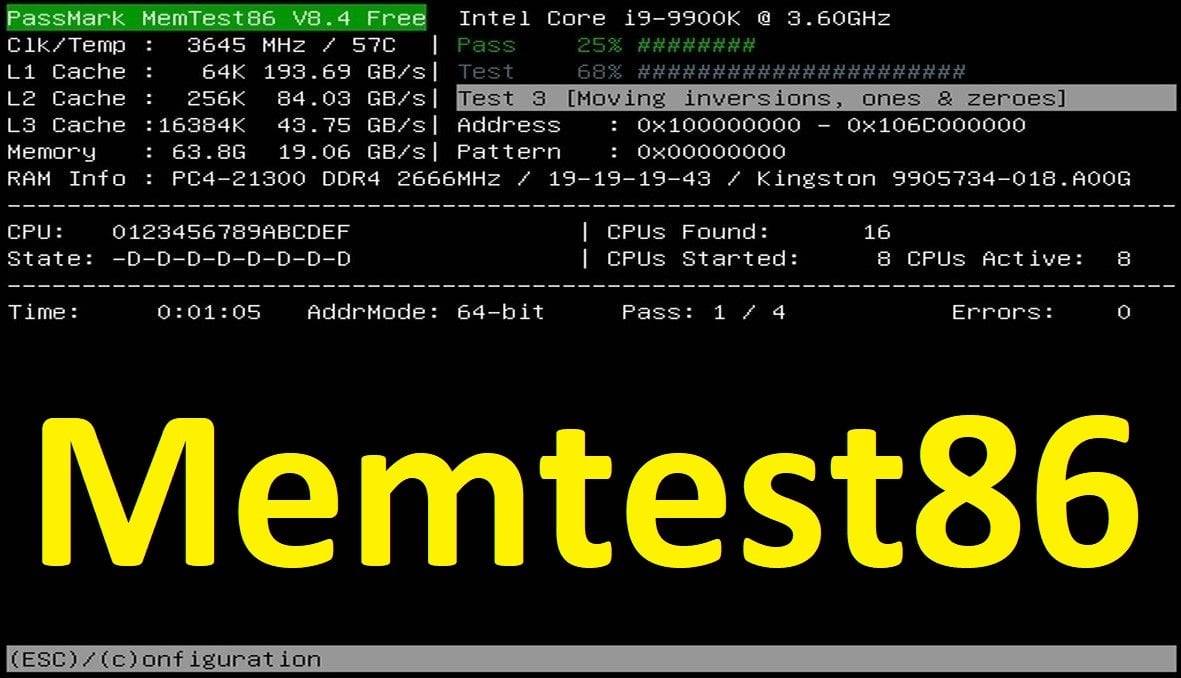
Ayrıca BAD_POOL_CALLER bellek ile bağlantılı bir hata. Biz yine de Memtest86 ile RAM'leri de test edelim.
Minidump dosyasını burayla paylaşırsanız daha iyi olur hocam.
 
Minidump dosyasını burayla paylaşırsanız daha iyi olur hocam.
minidump dosyalarını düzenleyip attım
 
Erişim istiyor.
 
Hocam şu hata ile karşılaştım.

Kod:
BAD_POOL_CALLER (c2)
The current thread is making a bad pool request.  Typically this is at a bad IRQL level or double freeing the same allocation, etc.
Arguments:
Arg1: 000000000000000d, Attempt to release quota on a corrupted pool allocation.
Arg2: ffffbe0866ff8d50, Address of pool
Arg3: 000000004c706657, Pool allocation's tag
Arg4: b9c67c25d854a574, Quota process pointer (bad).

Debugging Details:
------------------


KEY_VALUES_STRING: 1

    Key  : Analysis.CPU.mSec
    Value: 1500

    Key  : Analysis.Elapsed.mSec
    Value: 14851

    Key  : Analysis.IO.Other.Mb
    Value: 4

    Key  : Analysis.IO.Read.Mb
    Value: 1

    Key  : Analysis.IO.Write.Mb
    Value: 6

    Key  : Analysis.Init.CPU.mSec
    Value: 859

    Key  : Analysis.Init.Elapsed.mSec
    Value: 3944

    Key  : Analysis.Memory.CommitPeak.Mb
    Value: 110

    Key  : Analysis.Version.DbgEng
    Value: 10.0.27829.1001

    Key  : Analysis.Version.Description
    Value: 10.2503.24.01 amd64fre

    Key  : Analysis.Version.Ext
    Value: 1.2503.24.1

    Key  : Bugcheck.Code.LegacyAPI
    Value: 0xc2

    Key  : Bugcheck.Code.TargetModel
    Value: 0xc2

    Key  : Failure.Bucket
    Value: 0xc2_d_NETIO!WfpPoolFree

    Key  : Failure.Exception.IP.Address
    Value: 0xfffff8001523821a

    Key  : Failure.Exception.IP.Module
    Value: nt

    Key  : Failure.Exception.IP.Offset
    Value: 0x43821a

    Key  : Failure.Hash
    Value: {c159c15c-ed0a-e8e7-3b61-660d225f418a}

    Key  : WER.OS.Branch
    Value: vb_release

    Key  : WER.OS.Version
    Value: 10.0.19041.1


BUGCHECK_CODE:  c2

BUGCHECK_P1: d

BUGCHECK_P2: ffffbe0866ff8d50

BUGCHECK_P3: 4c706657

BUGCHECK_P4: b9c67c25d854a574

FILE_IN_CAB:  050925-22500-01.dmp

FAULTING_THREAD:  ffffbe08666a4040

BLACKBOXBSD: 1 (!blackboxbsd)


BLACKBOXNTFS: 1 (!blackboxntfs)


BLACKBOXPNP: 1 (!blackboxpnp)


BLACKBOXWINLOGON: 1

CUSTOMER_CRASH_COUNT:  1

PROCESS_NAME:  svchost.exe

STACK_TEXT: 
ffffce8e`c6f8e358 fffff800`1523821a     : 00000000`000000c2 00000000`0000000d ffffbe08`66ff8d50 00000000`4c706657 : nt!KeBugCheckEx
ffffce8e`c6f8e360 fffff800`157b70b9     : 00000000`00000000 00000000`00000072 ffffbe08`659179a0 01000000`00100000 : nt!ExFreeHeapPool+0x1e716a
ffffce8e`c6f8e440 fffff800`1b18feeb     : ffffbe08`666a4040 ffffbe08`51fed860 00000000`00000010 01000000`00100000 : nt!ExFreePool+0x9
ffffce8e`c6f8e470 fffff800`1b18f8c6     : ffffbe08`54010000 00000000`00000000 00000000`00000000 00000000`00000000 : NETIO!WfpPoolFree+0x1f
ffffce8e`c6f8e4a0 fffff800`1b18ed33     : 00000000`00000001 00000000`0000ff00 00000000`00000004 00000000`00000000 : NETIO!UpdateCacheLruBucket+0x856
ffffce8e`c6f8e580 fffff800`1b18edda     : 00000000`00000000 00000000`00000000 00000000`00000066 00000000`00000000 : NETIO!WfpFreeCacheEntries+0x2b
ffffce8e`c6f8e5b0 fffff800`1b1924cc     : 00000000`00000000 00000000`00000000 ffffffff`ffffffff 00000000`0000ff00 : NETIO!WfpActivateCaches+0x8a
ffffce8e`c6f8e600 fffff800`1b192abf     : ffffbe08`6686a150 00000000`00000032 ffffbe08`51fd0032 ffffbe08`6700ff00 : NETIO!KfdCommitTransaction+0x8ec
ffffce8e`c6f8e700 fffff800`1b2e7225     : 00000000`00000000 ffffbe08`67224980 ffffbe08`6686a150 ffffbe08`644f71e8 : NETIO!IoctlKfdCommitTransaction+0x6f
ffffce8e`c6f8e730 fffff800`1b2e77a2     : 00000000`00000002 00000000`00000000 00000000`0000020c 00000000`00000000 : tcpip!KfdDispatchDevCtl+0x155
ffffce8e`c6f8e7c0 fffff800`1504ad55     : 00000000`0000000e ffffbe08`644f72c8 ffffce8e`20206f49 00000000`00000000 : tcpip!NlDispatchDeviceControl+0x42
ffffce8e`c6f8e7f0 fffff800`1542d31c     : 00000000`00000001 00000000`00128030 ffffbe08`62b5d870 ffffbe08`5f5a50c0 : nt!IofCallDriver+0x55
ffffce8e`c6f8e830 fffff800`1542cf6a     : 00000000`00128030 ffffce8e`c6f8eb80 00000000`00010005 00000000`00128030 : nt!IopSynchronousServiceTail+0x34c
ffffce8e`c6f8e8d0 fffff800`1542c246     : 0000015e`21ee0004 00000000`00000000 00000000`00000000 00000000`00000000 : nt!IopXxxControlFile+0xd0a
ffffce8e`c6f8ea20 fffff800`15211e08     : 00000000`00000000 00000000`00000001 00000000`00000000 ffffbe08`62b9d760 : nt!NtDeviceIoControlFile+0x56
ffffce8e`c6f8ea90 00007ffc`929ad5d4     : 00000000`00000000 00000000`00000000 00000000`00000000 00000000`00000000 : nt!KiSystemServiceCopyEnd+0x28
0000004c`a80ff248 00000000`00000000     : 00000000`00000000 00000000`00000000 00000000`00000000 00000000`00000000 : 0x00007ffc`929ad5d4


SYMBOL_NAME:  NETIO!WfpPoolFree+1f

MODULE_NAME: NETIO

IMAGE_NAME:  NETIO.SYS

IMAGE_VERSION:  10.0.19041.5486

STACK_COMMAND: .process /r /p 0xffffbe085f5a50c0; .thread 0xffffbe08666a4040 ; kb

BUCKET_ID_FUNC_OFFSET:  1f

FAILURE_BUCKET_ID:  0xc2_d_NETIO!WfpPoolFree

OS_VERSION:  10.0.19041.1

BUILDLAB_STR:  vb_release

OSPLATFORM_TYPE:  x64

OSNAME:  Windows 10

FAILURE_ID_HASH:  {c159c15c-ed0a-e8e7-3b61-660d225f418a}

Followup:     MachineOwner

NETIO.SYS sebebiyle gerçekleşmiş. Ağ sürücülerini güncelleyin.
Ayrıca BAD_POOL_CALLER bellek ile bağlantılı bir hata. Biz yine de Memtest86 ile RAM'leri de test edelim.
 
Çözüm
Hocam şu hata ile karşılaştım.

Kod:
BAD_POOL_CALLER (c2)
The current thread is making a bad pool request.  Typically this is at a bad IRQL level or double freeing the same allocation, etc.
Arguments:
Arg1: 000000000000000d, Attempt to release quota on a corrupted pool allocation.
Arg2: ffffbe0866ff8d50, Address of pool
Arg3: 000000004c706657, Pool allocation's tag
Arg4: b9c67c25d854a574, Quota process pointer (bad).

Debugging Details:
------------------


KEY_VALUES_STRING: 1

    Key  : Analysis.CPU.mSec
    Value: 1500

    Key  : Analysis.Elapsed.mSec
    Value: 14851

    Key  : Analysis.IO.Other.Mb
    Value: 4

    Key  : Analysis.IO.Read.Mb
    Value: 1

    Key  : Analysis.IO.Write.Mb
    Value: 6

    Key  : Analysis.Init.CPU.mSec
    Value: 859

    Key  : Analysis.Init.Elapsed.mSec
    Value: 3944

    Key  : Analysis.Memory.CommitPeak.Mb
    Value: 110

    Key  : Analysis.Version.DbgEng
    Value: 10.0.27829.1001

    Key  : Analysis.Version.Description
    Value: 10.2503.24.01 amd64fre

    Key  : Analysis.Version.Ext
    Value: 1.2503.24.1

    Key  : Bugcheck.Code.LegacyAPI
    Value: 0xc2

    Key  : Bugcheck.Code.TargetModel
    Value: 0xc2

    Key  : Failure.Bucket
    Value: 0xc2_d_NETIO!WfpPoolFree

    Key  : Failure.Exception.IP.Address
    Value: 0xfffff8001523821a

    Key  : Failure.Exception.IP.Module
    Value: nt

    Key  : Failure.Exception.IP.Offset
    Value: 0x43821a

    Key  : Failure.Hash
    Value: {c159c15c-ed0a-e8e7-3b61-660d225f418a}

    Key  : WER.OS.Branch
    Value: vb_release

    Key  : WER.OS.Version
    Value: 10.0.19041.1


BUGCHECK_CODE:  c2

BUGCHECK_P1: d

BUGCHECK_P2: ffffbe0866ff8d50

BUGCHECK_P3: 4c706657

BUGCHECK_P4: b9c67c25d854a574

FILE_IN_CAB:  050925-22500-01.dmp

FAULTING_THREAD:  ffffbe08666a4040

BLACKBOXBSD: 1 (!blackboxbsd)


BLACKBOXNTFS: 1 (!blackboxntfs)


BLACKBOXPNP: 1 (!blackboxpnp)


BLACKBOXWINLOGON: 1

CUSTOMER_CRASH_COUNT:  1

PROCESS_NAME:  svchost.exe

STACK_TEXT:
ffffce8e`c6f8e358 fffff800`1523821a     : 00000000`000000c2 00000000`0000000d ffffbe08`66ff8d50 00000000`4c706657 : nt!KeBugCheckEx
ffffce8e`c6f8e360 fffff800`157b70b9     : 00000000`00000000 00000000`00000072 ffffbe08`659179a0 01000000`00100000 : nt!ExFreeHeapPool+0x1e716a
ffffce8e`c6f8e440 fffff800`1b18feeb     : ffffbe08`666a4040 ffffbe08`51fed860 00000000`00000010 01000000`00100000 : nt!ExFreePool+0x9
ffffce8e`c6f8e470 fffff800`1b18f8c6     : ffffbe08`54010000 00000000`00000000 00000000`00000000 00000000`00000000 : NETIO!WfpPoolFree+0x1f
ffffce8e`c6f8e4a0 fffff800`1b18ed33     : 00000000`00000001 00000000`0000ff00 00000000`00000004 00000000`00000000 : NETIO!UpdateCacheLruBucket+0x856
ffffce8e`c6f8e580 fffff800`1b18edda     : 00000000`00000000 00000000`00000000 00000000`00000066 00000000`00000000 : NETIO!WfpFreeCacheEntries+0x2b
ffffce8e`c6f8e5b0 fffff800`1b1924cc     : 00000000`00000000 00000000`00000000 ffffffff`ffffffff 00000000`0000ff00 : NETIO!WfpActivateCaches+0x8a
ffffce8e`c6f8e600 fffff800`1b192abf     : ffffbe08`6686a150 00000000`00000032 ffffbe08`51fd0032 ffffbe08`6700ff00 : NETIO!KfdCommitTransaction+0x8ec
ffffce8e`c6f8e700 fffff800`1b2e7225     : 00000000`00000000 ffffbe08`67224980 ffffbe08`6686a150 ffffbe08`644f71e8 : NETIO!IoctlKfdCommitTransaction+0x6f
ffffce8e`c6f8e730 fffff800`1b2e77a2     : 00000000`00000002 00000000`00000000 00000000`0000020c 00000000`00000000 : tcpip!KfdDispatchDevCtl+0x155
ffffce8e`c6f8e7c0 fffff800`1504ad55     : 00000000`0000000e ffffbe08`644f72c8 ffffce8e`20206f49 00000000`00000000 : tcpip!NlDispatchDeviceControl+0x42
ffffce8e`c6f8e7f0 fffff800`1542d31c     : 00000000`00000001 00000000`00128030 ffffbe08`62b5d870 ffffbe08`5f5a50c0 : nt!IofCallDriver+0x55
ffffce8e`c6f8e830 fffff800`1542cf6a     : 00000000`00128030 ffffce8e`c6f8eb80 00000000`00010005 00000000`00128030 : nt!IopSynchronousServiceTail+0x34c
ffffce8e`c6f8e8d0 fffff800`1542c246     : 0000015e`21ee0004 00000000`00000000 00000000`00000000 00000000`00000000 : nt!IopXxxControlFile+0xd0a
ffffce8e`c6f8ea20 fffff800`15211e08     : 00000000`00000000 00000000`00000001 00000000`00000000 ffffbe08`62b9d760 : nt!NtDeviceIoControlFile+0x56
ffffce8e`c6f8ea90 00007ffc`929ad5d4     : 00000000`00000000 00000000`00000000 00000000`00000000 00000000`00000000 : nt!KiSystemServiceCopyEnd+0x28
0000004c`a80ff248 00000000`00000000     : 00000000`00000000 00000000`00000000 00000000`00000000 00000000`00000000 : 0x00007ffc`929ad5d4


SYMBOL_NAME:  NETIO!WfpPoolFree+1f

MODULE_NAME: NETIO

IMAGE_NAME:  NETIO.SYS

IMAGE_VERSION:  10.0.19041.5486

STACK_COMMAND: .process /r /p 0xffffbe085f5a50c0; .thread 0xffffbe08666a4040 ; kb

BUCKET_ID_FUNC_OFFSET:  1f

FAILURE_BUCKET_ID:  0xc2_d_NETIO!WfpPoolFree

OS_VERSION:  10.0.19041.1

BUILDLAB_STR:  vb_release

OSPLATFORM_TYPE:  x64

OSNAME:  Windows 10

FAILURE_ID_HASH:  {c159c15c-ed0a-e8e7-3b61-660d225f418a}

Followup:     MachineOwner

NETIO.SYS sebebiyle gerçekleşmiş. Ağ sürücülerini güncelleyin.
Ayrıca BAD_POOL_CALLER bellek ile bağlantılı bir hata. Biz yine de Memtest86 ile RAM'leri de test edelim.
aslında ağ surucusunu yeni güncellemiştim
1746804096055.png


bu güncel değil çünkü güncelleyin ce sorun çıkıyor
ram testide yapacağım ama bekletmem lazım çarşıya gidiyoruz
1746804160396.png


kralsın bu arada sen olmasan sıfırlardım ben kesin :)
 
Tamamdır hocam. Bu arada format genelde mavi ekran hatalarına çözüm olmuyor eğer donanımsal bir sıkıntı ise. Bu arada sfc /scannow komutunu deneyince Windows onarım yapmış. Belki sorun şuan düzelmiştir. Geri dönüş yaparsınız. İyi günler.
 
Tamamdır hocam. Bu arada format genelde mavi ekran hatalarına çözüm olmuyor eğer donanımsal bir sıkıntı ise. Bu arada sfc /scannow komutunu deneyince Windows onarım yapmış. Belki sorun şuan düzelmiştir. Geri dönüş yaparsınız. İyi günler.
bende sana bir iyilik yapayım ama nasıl yapıcam bilmiyorum senin cevabını nasıl çözüm diye işaretlerim (not :yaptım) iyi günler
 
Bende sana bir iyilik yapayım ama nasıl yapacağım bilmiyorum senin cevabını nasıl çözüm diye işaretlerim.
İşaretlemişsiniz tamam. Bu arada sorun devam ederse buraya yazıp çözümü kaldırırsınız. İnşallah çözülmüştür de işareti de kaldırmaya gerek kalmaz, hem de hem ben hem sen uğraşmayız. İyi akşamlar :)
 

Bu konuyu görüntüleyen kullanıcılar

Technopat Haberler

Yeni konular

Geri
Yukarı